

When my main coop was built in 2014 I installed an automatic door, which I think is a necessity for any chicken keeper. It means you can sleep in, or come home later than planned, and not worry that your chickens are stuck inside or, worse, left outside the coop and are vulnerable to predators and cold weather or deprived of food and water. (Even with an auto door I still go out to check nightly that everyone made it in safely on time.)
My first auto opener was a simple German-made Techtronoscher motor with a pop-style metal door and frame. It wasn’t cheap at the time ($220CAD/166USD) for a model with zero bells and whistles. It was battery operated and operated using a solar sensor. There was no manual override or timer. It didn’t come with any instructions so it took me a couple of years to figure out that the light sensor could be adjusted via an innocuous white screw within the box. It was a reliable workhorse and gave up the ghost after seven years.
When I was looking to install a door on my secondary coop I contacted Run-Chicken asking if they would send me a complimentary auto door in exchange for an honest review on my blog.
At the end of August 2017, I was given a structure for a coop conversion. It was essentially a 4’ x 4’ x 8’ box divided into two sections with two doors on each side. It was left on a friend’s property by the previous owner and I think was intended as a rabbit hutch, but had never been used.
My friend Tracy kindly offered to help turn the box into two side-by-side coops over a couple of weeks that fall. The openings that we designated for the chicken doors were larger than the standard pop-style or guillotine doors found on many coops. No problem, we just made larger doors.
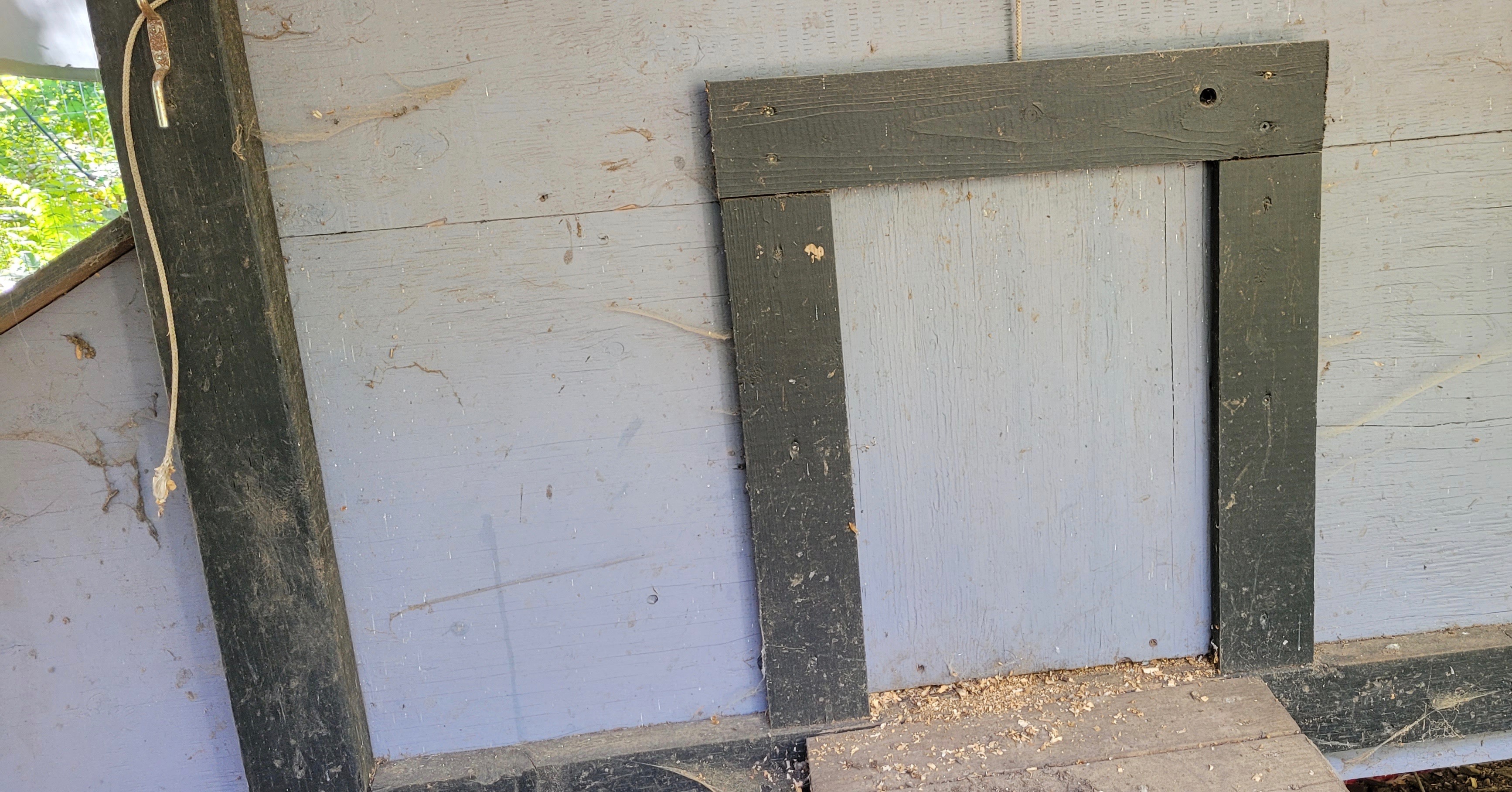


Those bigger openings were, however, an issue when I went to install my new Run-Chicken auto door, as it was considerably smaller than the existing one.
Several years ago my partner and I converted our greenhouse into a workshop. The original building was sided over with plywood ranchwall before 12 windows were installed. I kept those dozen wooden cutouts thinking they might come in handy some day. It turns out they were the perfect size to place over the old coop door openings in order to customize them for my new Run-Chicken door.

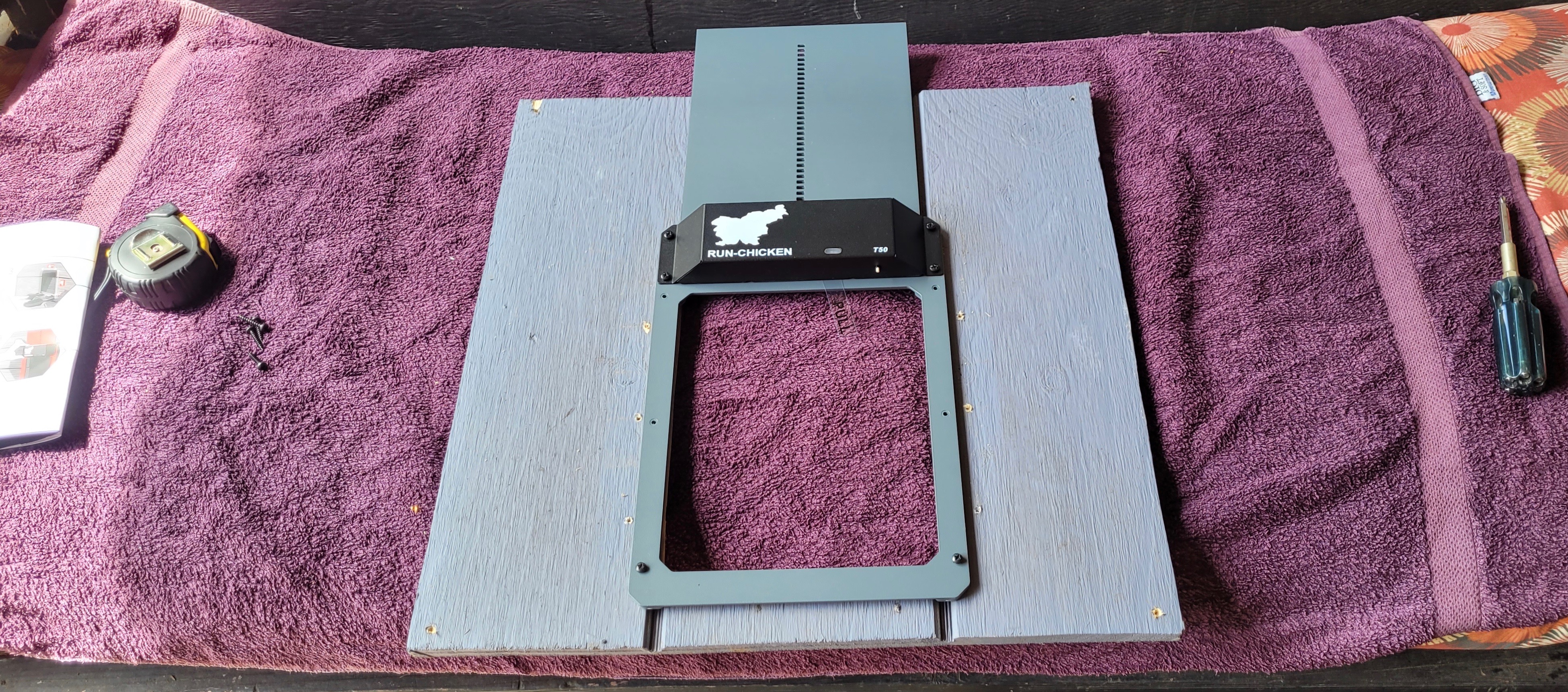
I painted them the same colour as the coop (Benjamin Moore Amethyst Shadow which is a purple-grey tone). The door I chose was also grey, hoping that it would suit my coop.
Pros
- As someone who has had five different brands of automatic coop doors I can say that the Run-Chicken door was the easiest to install. It’s comes as an all-in-one door that takes just six screws to mount on a wooden coop.
- Available in a number of colours (to match your coop, of course)
- Aluminum construction, no cheap plastic
- Three programmable modes: light sensor, manual, timer
- Anti-pinch safety stop to prevent your birds from getting trapped by the door
- Competitive prices ($140-180USD)
- Giant size door available for large poultry include ducks and turkeys ($279-299USD)
Cons
- Three out of four of my other doors (Chicken Guard, Omlet and ChickCozy) have LED displays allowing you to scroll through and see what your options are
- Run-Chicken has no display. There is a button that you press that triggers three colours of lights (green, red and blue) – some solid, other blinking – that indicate the modes. The unit’s default settings will probably work for most folks without having to fiddle with other options. When I have had to open or close the door I just pressed the button to do so. At some point, I must have pressed the button for too long and had to read the manual to get back to the default setting. Once done, all was fine.
- I have never used the timer mode on any of my doors. With the other brands you can see the clock in the display and then program the time you want your door to open and close. Since the Run-Chicken doesn’t have a display you have to press the timer button at the time you want (i.e. If you want the door to open at 8am every morning you need to press the program button at exactly 8am, same for the closure time). This seems a bit bothersome but, as I said, I doubt most folks use this option. The light mode is most practical.
Options
- Upgrades include new drive units for both solar and battery operation
- Can be operated using a cell phone app (I don’t get cell coverage so haven’t tried it)
- The Eternal+ model is a step up that includes a solar panel and 6’ cable that provides more flexibility for mounting in the optimal position. That said, the light sensor on my unit works just fine.
I featured Ron Kulas‘s coop build in my series on cool coop designs. Here are some of his observations on the Run-Chicken auto door he installed:


You can check out Run-Chicken’s coop doors, coops, feeders and nest boxes here. Beware of cheap knockoffs that mimic Run-Chicken but are cheaply made. Quality doors may seem expensive, but you know the old age: “If it seems too good to be true, the it probably is.”
Thanks to the folks at Run-Chicken for allowing me to test out and report on my experience with one of their doors.
 Bitchin' Chickens
Thanks for this clear and conncise review. We are contemplating an automatic door for our large coop, and it is really helpful to have feedback like this as we make our way through reviews of doors. Your pictures are very helpful! Linda
LikeLiked by 1 person
I’m glad you found it useful. I’ve done individual posts on the ChickCozy and Omlet doors. I’ve also written a post on choosing an auto door that will be published next month.
LikeLike